I have been using iCloud to synchronize files for more than I can remember. Recently, I became a little annoyed by the political and privacy situation in the united states of america, and I decided to move away from Apple’s iCloud.
Instead of deploying more tools on my homelab like NextCloud or WebDAV, I went with a decentralized solution that surprisingly removed the need to self-host servers for other use cases too!
What iCloud did for me
I used iCloud to synchronize files across my Apple devices. This service relies on a central server managed by Apple. I was paying around 50 Euro a month to have 2TB of storage and other services I used as part of Apple One subscription. I was using iCloud Drive to keep files and a few things in sync:
- Obsidian (my second brain)
- Important documents (Ex: Tickets, Receipts, etc etc)
- Passwords (with iCloud Passwodrs)
- Photos
What are servers doing?
Before jumping into the solution, I want to oversimplify the need for a centralized server running 24/7. 😅 I know there is more to that but bare with me.
When I edit a file, I want it to be updated across all my devices. Often we rely on centralized tools and protocols with servers as a single source of truth. A server runs 24/7, and takes care of keeping change history, handling security and conflicts to make sure that eventually all the devices are up to date.
While moving away from iCloud, I started setting up Bitwarden ( vaultwarden really), Obsidian Sync, and Immich. When I looked at decentralized solutions, I soon realized that I didn’t need such complexity and compute power to deploy extra containers and servers in my homelab.
No server needed: Syncthing
Syncthing instead of using a central server, uses a decentralized (peer-to-peer) architecture to synchronize files. Version history, security, and conflict handling are baked in, and I was impressed on how simple it is.
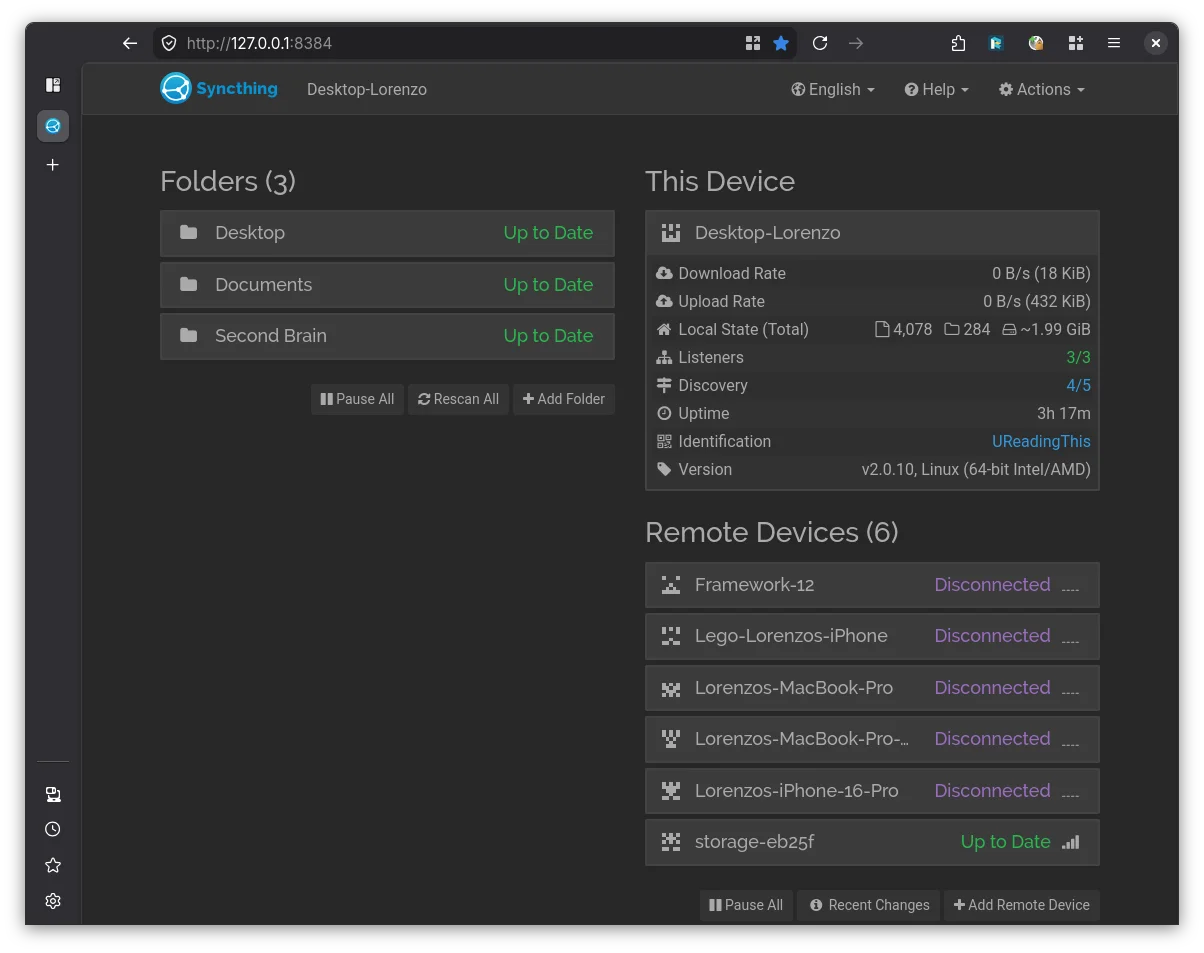
Obsidian can use it with no issues, and if for whatever reason conflicts
occur, I just look for the sync-conflict files.
Bitwarden… well, it’s built on a central server so I had to replace it. A colleague of mine suggested Keepass instead. I decided to use KeepassXC, as it relies on a single file. When conflicts happen, Keepass has a merge tool built in, that works like a charm!
Photos are a different story. 😞 I wanted to replace iCloud Photos, but I would lose a lot of features, so I stuck with deploying Immich. It’s possible though to use Syncthing to synchronize photos from my iPhone Photo library. 😄
Setup on Mac and Linux with Nix
On my Mac and Linux machines, I use home-manager. Setting up a background service for syncthing was a breeze. I just had to add the following line:
services.syncthing.enable = true;
That’s the first step, and unless you want to configure it with Nix instead of using the browser, you don’t need more changes. Open the browser to Syncthing web interface and take it from there!
If you are like me, and use nix / home-manager to have reproducible builds and to avoid manual configuration, you should have a look at the home-manager options. Those saved me a lot of headaches, and now setting up home-manager also means getting all my files in place. 😉
Setup on iPhone
Last time I failed using Syncthing on an iPhone. Now things have changed, and I am happily using Synchtrain. I strongly suggest this app as it has not failed me once.
After setting it up on iOS, Obsidian, KeePassium, and other apps work with no issue. The only thing is to remember to run Synchtrain from time to time. The fact that the app can run in the background for a specific amount of time saved me from frustrations.
Synchtrain supports also synchronizing photos but I did not look into it much as I wanted the extra features from Immich.
The cool part is that the app notifies you if it’s been out of sync for a while. Noice feature!
Learnings and the reality
I stopped paying 50 Euro a month for iCloud and stopped using many american services, including Apple’s iCloud. Syncthing fits my case perfectly. Bitwarden, Obsidian Sync, and NextCloud have way more features, but I don’t need them. I want to follow the unix philosophy: Syncthing it’s a program that does one thing well and work together with other software. In other words: it’s not bloated like NextCloud, and works with Obsidian and Keepass. I am sure other apps will work too.
It is worth noting that to back up files (with zfs snapshots), I have set up an extra Syncthing node anyway. It is not necessary (it’s acting more as a seed). A centralized server for Bitwarden or NextCloud makes a few things easier to handle, but not everybody can set up a homelab or afford a server running around the clock.
On the network level, I was happy to see that when Syncthing does not have direct access to my nodes, there are community-maintained relay peers. I trust open-source code where I can see that the relay peers would not be able to read my files, rather than a promise from Apple regarding end-to-end encryption, knowing how that failed in the UK with new laws that are breaking people’s privacy.
Syncthing has improved a lot since last time I used it in 2016, when I switched from BitTorrent Sync. It has been more than a month since I switched, and I like this setup. I hope this post will help other people who might be undecided or curious.